A new family has just moved into the community. Their move-in formalities are complete. Their vehicle has been registered in the ERP. Everything looks ready.
But when they drive up to the gate, the boom barrier doesn’t open.
The security team has to verify their details manually, make a phone call to the community office, and finally let them in. It isn’t the welcome anyone expects on their first day.
This is a common challenge in many apartment complexes and gated communities, where resident records and gate access are managed through separate systems. And this common and regular headache can be easily removed through an integration – Integrating Boom Barrier Systems with ADDA
ADDA ERP now integrates directly with leading boom barrier systems, including eSSL, Warden, Park Plus, and SmartAccessHub. Once connected, the boom barrier automatically stays in sync with your community’s resident, owner, tenant, and vehicle records.
When someone moves in or moves out, gate access is updated automatically, and vehicle entry and exit logs are available within the same ADDA ERP your team already uses to manage the community. Community managers no longer have to update the same information in two different systems.
Table of Contents
What Actually Goes Wrong When a Boom Barrier Is Not Connected to Your ERP?
In most communities, the Community ERP is where resident, owner, tenant, and vehicle information is managed. Whenever a new family moves in, someone moves out, or a new vehicle is registered, those changes are made in the ERP first.
The boom barrier, often, runs as a separate system. So even after the ERP is updated, the same information still has to be updated in the boom barrier software. If that second update is missed, it can lead to incorrect gate access or outdated records.
This leads to two common problems.
The first problem is mismatched access at the gate.
For example, a new resident has completed the move-in process, and their details have been updated in the ERP. But if the same update isn’t made in the boom barrier system, their vehicle won’t be recognised at the gate. When they arrive, the security team has to step in and verify their access manually.
The opposite can happen too. A resident moves out of the community, and their records are removed from the ERP. But if the same update isn’t made in the boom barrier system, their vehicle may still be able to enter the community even though they no longer live there.
Both situations happen because the ERP and the boom barrier are not synchronized.
The second problem is limited access to vehicle movement records.
This becomes a problem when there’s a security incident when someone needs to check when a vehicle entered or exited the community. Since the access records are stored in the boom barrier system, community managers often have to log in to a separate application or contact the hardware vendor to retrieve them.
As a result, something that should take just a few minutes can end up taking much longer because the information isn’t available in the ERP they use every day.
What Changes Once ADDA ERP and Your Boom Barrier Are in Sync?
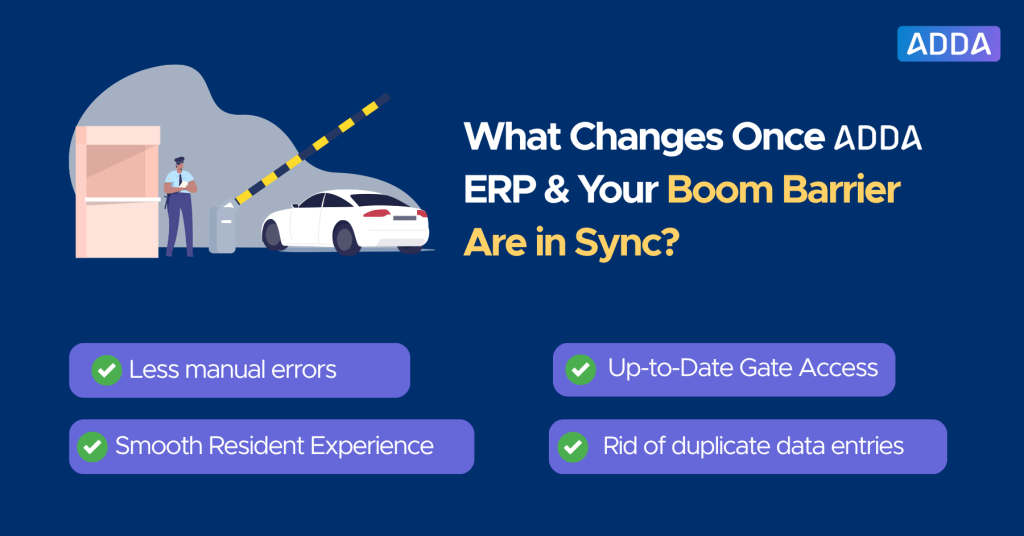
Once the boom barrier is connected to ADDA ERP, the two systems work together automatically. Community managers no longer have to update resident and vehicle information in two different places.
When a new resident, owner, or tenant is added to ADDA ERP, their registered vehicle is automatically recognised at the gate. Likewise, when someone moves out and their access is removed from the ERP, the boom barrier is updated automatically. There is no need to log in to a separate gate access system or remember a second manual update.
This makes everyday community operations much simpler. Community managers only need to maintain one set of records in ADDA ERP, while the boom barrier stays synchronized in the background.
As a result, communities can:
- Eliminate duplicate data entry.
- Reduce manual errors caused by missed updates.
- Keep resident and vehicle records synchronized.
- Provide a smoother experience for residents from their very first day.
Instead of maintaining two separate databases, community managers only need to update ADDA ERP.
Where Can Community Managers View Vehicle Entry and Exit Logs?
Once the boom barrier is connected to ADDA ERP, every vehicle entry and exit is recorded within the Community ERP itself, alongside your other community data.
The next time there’s a security incident, there’s no need to log in to a separate system or contact the hardware vendor for reports. Simply open ADDA ERP, search for the required records, and view the access history.
Instead of spending hours trying to retrieve logs from another system, community managers can find the information they need from the same platform they already use to manage the community. This makes investigations faster, resident queries easier to answer, and vehicle movement records much more accessible.
How Does This Integration Help Residents?
The integration doesn’t just make things easier for community managers. It also gives residents better visibility into the movement of their own vehicles.
Residents can view the entry and exit history of vehicles registered to their unit directly through ADDA. This means they no longer have to contact the community office or security team to check when a vehicle entered or exited the community.
This is especially useful for residents with chauffeur-driven vehicles, families where multiple members use the same car, or parents who want to know when the family vehicle entered or left the community.
Residents can only view the movement history of vehicles registered to their own unit, ensuring their information remains private.
Which Boom Barrier and Vehicle Access Systems Does ADDA Integrate With?
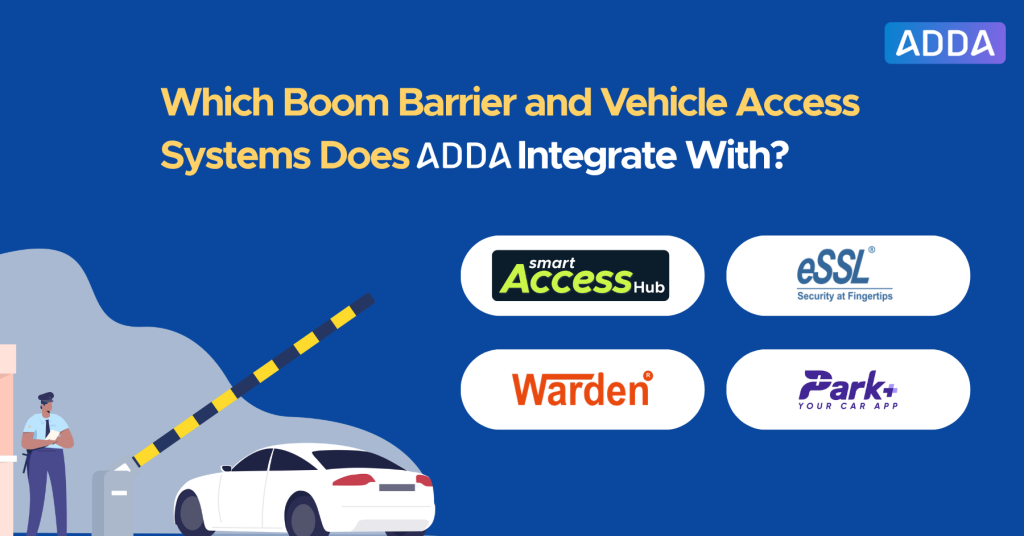
ADDA ERP integrates with leading vehicle access systems used across residential communities, so you’re not limited to a single hardware provider. The current integrations include:
- eSSL: A widely used boom barrier and access control system.
- Warden: A popular gate and vehicle access solution for residential communities.
- Park Plus: A smart parking and vehicle access platform.
- SmartAccessHub: A modern vehicle access system that integrates with ADDA ERP just like the other supported solutions.
Whether your community already uses one of these systems or is planning a new installation, ADDA ERP keeps your gate access and community records synchronized automatically. This means your community team no longer has to manage resident and vehicle information across separate systems.
The Bottom Line
Managing gate access shouldn’t mean updating the same information in two different systems.
With ADDA ERP’s boom barrier integration, resident and vehicle records stay synchronized automatically. When records are updated, gate access stays up to date, and vehicle entry and exit logs are available within the same ERP your team already uses to manage the community.
The result is less manual work, fewer access-related issues, and quicker access to the information you need.
Want to see how this integration works? Get in touch with us, and we’ll walk you through it.
Frequently Asked Questions
Does ADDA ERP integrate with boom barriers automatically?
Yes. Once the integration is set up, your boom barrier stays synchronized with ADDA ERP in real time. Any changes made to resident, owner, tenant, or vehicle records in the ERP are automatically reflected at the gate, with no separate manual update required.
Which vehicle access systems work with ADDA ERP?
ADDA ERP integrates with leading vehicle access systems, including eSSL, Warden, Park Plus, and SmartAccessHub.
What happens to gate access when a resident moves out?
When a resident’s access is removed from ADDA ERP, the boom barrier is updated automatically. This helps ensure former residents no longer have access to the community after they move out.
Can residents view the entry and exit history of their own vehicles?
Yes. Residents can view the entry and exit history of vehicles registered to their own unit. This is especially useful for residents with chauffeur-driven vehicles or families where multiple members use the same car. Residents can only view the movement history of vehicles registered to their own unit.
Where are the gate access logs stored?
All vehicle entry and exit logs are recorded within ADDA ERP. Community managers can search and review access history without logging in to a separate boom barrier system or contacting the hardware vendor.