Bank reconciliation is the first task of the day for many association accountants, and until it is finished, nothing else can move. The monthly financials wait for it.
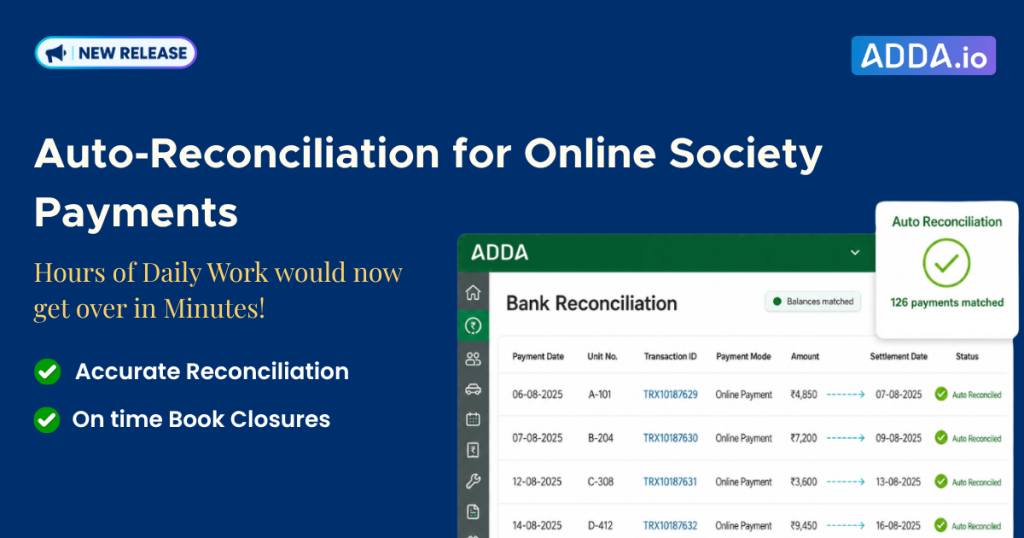
ADDA now reconciles any online society payments automatically. This article explains what that changes, who it helps, and what it does not cover.
Table of Contents
What Benefits does Automatic Reconciliation bring to the Society Accountant?
Rajesh fetches transactions, checks that the balances agree, and gets on with his day. Here is what that adds up to.
- The first two hours of the morning come back. What used to fill most of it is now finished before his tea goes cold.
- Month-end stops being a hunt. When nothing has been skipped or dated wrongly, the closing balance agrees the first time, instead of somebody spending half a day working backwards to find the one entry that went astray.
- The committee gets numbers that are actually current. Financials reach the Treasurer on time, and the defaulter list going with them is up to date rather than a week behind.
- Your accountant spends the time on work only a person can do — payables, budget variance, getting the audit file in order.
If you run an accounting practice rather than a single community, all of this repeats across every set of books you handle. That has a real bearing on how many communities one accountant can take on before you need to hire another.
How does automatic bank reconciliation work in ADDA?
First step is to enable the automatic reconciliation option:
- Go to Admin ERP Admin Console > Bank & Cash > Setup
- Turn on the toggle to Enable Automatic Payment Gateway Reconciliation
After this is turned on, ADDA starts automatically matching the payment gateway transactions.
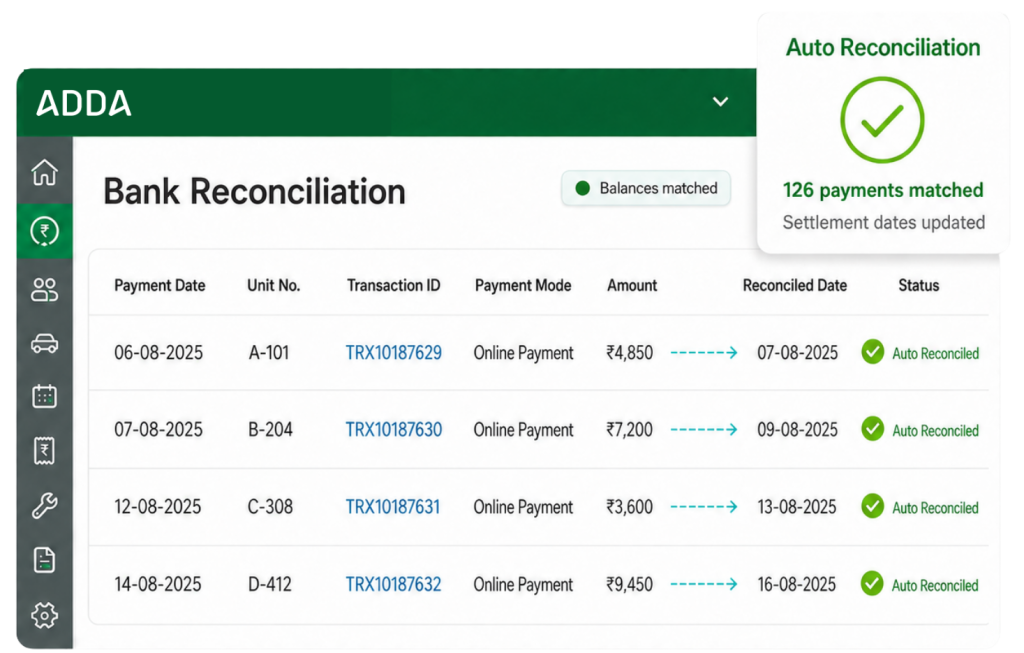
- The accountant opens Bank & Cash > Bank & Cash Accounts -> Bank Reconciliation and fetches transactions for the period
- ADDA identifies the eligible ADDA Payment Gateway transactions in that set, reconciles them using the settlement information already available in the ADDA Payment Gateway Transactions report
- It populates the Date of Bank Transfer as the reconciliation date
The accountant reviews the entries, confirms the balances agree, and moves on.
What is bank reconciliation in a housing society?
Bank reconciliation is the process of matching every entry in the society’s books against the corresponding entry in its bank statement, so that both agree at the end of the period.
For an apartment association, most of that work involves maintenance collections. Residents pay, the money settles into the society’s bank account, and the accountant confirms that each payment recorded in the books has actually landed in the bank, on the date the bank says it landed.
Until the two agree, the books cannot be closed and the financials cannot be published.
Why is reconciling online maintenance payments so time-consuming?
Because it is done one transaction at a time, across two different screens.
When residents pay through the ADDA Payment Gateway, each payment has a Date of Bank Transfer recorded against it in the ADDA Payment Gateway Transactions report. The reconciliation itself happens in the Bank Reconciliation screen.
So for every single transaction, the accountant repeats four steps:
- Find the settlement date in the Payment Gateway Transactions report
- Locate that transaction in the Bank Reconciliation screen
- Select the reconciliation option
- Update the reconciliation date
In a small community that is a minor chore. In a 1,200-unit community, it takes most of a morning, and it takes most of a morning again tomorrow.
What errors does manual reconciliation cause?
Two, and both are the result of repetition rather than carelessness: transactions that get skipped entirely, and transactions reconciled against the wrong settlement date.
Nobody makes a mistake on transaction number four. Mistakes happen on transaction number 180, when the accountant has been doing the identical thing for ninety minutes.
Neither error announces itself. Both surface at month-end as an unexplained difference in the closing balance, and then somebody spends half a day tracing it backwards. No money goes missing. It was only ever a data-entry slip. But the financials go out late, and the defaulter list that goes with them is stale by the time the committee sees it.
That is the real cost of manual reconciliation. Not the two hours a day, but the two hours a day plus the half day spent finding the one entry that went wrong.
Who does manual reconciliation affect the most?
The association accountant at a large community, and the Treasurer waiting on their output.
Take Rajesh, an accountant at a large residential association. He handles billing, posts collections, processes vendor payments and closes the books each month. His morning starts with the Payment Gateway Transactions report on one screen and Bank Reconciliation on the other, working through the day’s payments one at a time.
By the time he finishes it is late morning. The work he is genuinely needed for, the vendor payables schedule, the budget variance the Treasurer keeps asking about, the audit file, all of it starts from whatever is left of the day.
He is not doing accounting for those two hours. He is copying a date from one screen to another, several hundred times.
How much time does automatic reconciliation save?
Daily reconciliation moves from hours to minutes for communities collecting most of their maintenance online.
The gain is not only the time. Because no one is copying dates between screens, the entries that used to get skipped or mis-dated stop being skipped or mis-dated. Month-end ties on the first attempt. The Treasurer receives the financials earlier, and the defaulter list going to the committee is current as of that morning.
How does this help Accounting Service Providers managing multiple societies?
It removes the same manual work across every set of books at once, which changes how many communities one accountant can handle.
An ASP managing fifteen or twenty communities runs the identical process in each one. Hundreds of transactions a day across a dozen sets of books, each with its own report to cross-check and its own month-end deadline. At that scale, reconciliation stops being a morning task and becomes somebody’s full job.
For an accounting practice, that turns into a fairly practical question: how many communities can one accountant realistically take on before you have to hire another.
Why this matters beyond the time saved
Good association accountants are not scarce because there is a shortage of people who can tick boxes accurately. They are scarce because there is a shortage of people who understand a community’s finances well enough to catch a problem before the auditor does.
Every hour spent copying settlement dates is an hour not spent on that.
Frequently asked questions
What is automatic bank reconciliation in ADDA?
It is a feature in the Bank Reconciliation module that identifies eligible ADDA Payment Gateway transactions, reconciles them using the settlement information in the Payment Gateway Transactions report, and populates the Date of Bank Transfer as the reconciliation date, without the accountant doing it manually.
Does the accountant still need to review reconciled transactions?
Yes. ADDA performs the matching, and the accountant reviews the result and confirms the balances agree before closing.
Does Auto Reconciliation work for cheque, NEFT and cash payments?
No. It applies to ADDA Payment Gateway transactions. Other payment modes continue to be reconciled manually.
Which date does ADDA use as the reconciliation date?
The Date of Bank Transfer, taken from the settlement information in the ADDA Payment Gateway Transactions report.
Is this useful for a single community, or only for Accounting Service Providers?
Both. A large single community with a high volume of online payments sees the same daily saving. For an ASP managing several communities, the saving repeats across every set of books.
How do we enable Auto Reconciliation for our community?
In ADDA ERP, Admin Side, you can go to Bank and Cash module > Setup, and enable this option.