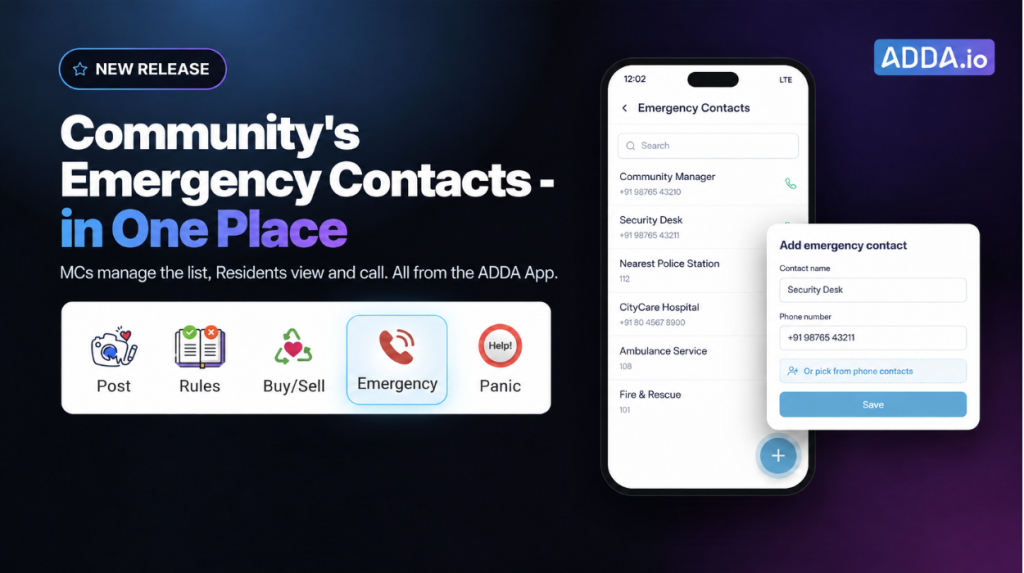
An emergency contact list is one of the few things in a community app that nobody looks at until the worst possible moment. A gas leak. A medical emergency at two in the morning. A resident locked out with a child inside.
Admins with the right module access can now add emergency contacts directly from the ADDA App.
Table of Contents
How do MCs add emergency contacts from the ADDA App?
A management committee member can now open Emergency Contacts in the ADDA App and add a contact, either by typing the details in or by picking a number from their phone contacts.
Nothing to note down, nothing to do later.
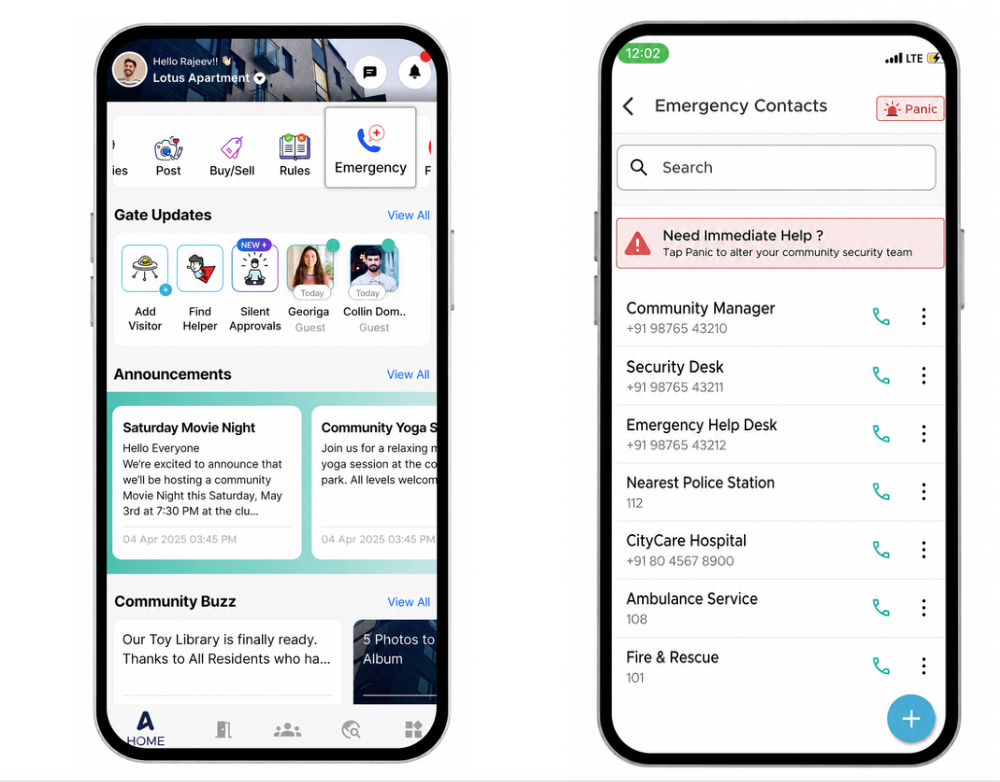
What Benefits does adding Emergency Contacts from the App bring to your Society?
- There was a change of the phone number being used at the security gate. The security supervisor passes this new number to Rohan – the management committee member, when Rohan visited the security gate, as a part of his weekly rounds of the community. Without waiting, Rohan now adds it to Emergency Contacts in ADDA App, then and there, on the phone already in his hand.
- Nothing gets written down for later, so nothing slips behind whatever turned out to be more urgent that afternoon.
- Management committees can also pick relevant numbers straight from their phone and add – making it both more convenient and less prone to errors
- Only admins with the right module access see the option to add. Residents view, call and share the contacts exactly as before.
Which numbers should every housing society keep in its emergency contact list?
A good emergency contact list covers three kinds of help: medical, safety, help inside the community. If a number is something a resident would need within the first five minutes of a crisis, it belongs on the list.
Medical
- Nearest hospital with 24×7 emergency care. List the emergency or casualty desk number, not the general reception.
- Ambulance. Add the direct ambulance line of the hospital the community has a tie-up with, alongside 108. And numbers of any private providers who provide ambulance service to your community
- 24×7 pharmacy nearby, for late-night medicine runs.
- Nearest blood bank, if the community has one close by.
Safety and law
- Local police station. Add the station’s direct number as well as 112.
- Nearest fire station, plus 101.
Inside the community
- Community emergency desk or facility manager’s number, if the community has one.
- Security cabin or main gate phone. This is often the fastest way to get help to a flat, open a gate for an ambulance, or hold a lift.
Why is an organised emergency contact list one of the most important things a society can maintain?
In an emergency, nobody has time to search. A resident whose parent has collapsed in the bathroom shouldn’t be scrolling through months of WhatsApp messages hoping someone once shared the ambulance number. They shouldn’t be calling neighbours who may be asleep, or waiting for the lift to go down and ask the guard.
Most apartment communities already have these numbers somewhere. One may be on a notice board in the lift lobby, another in a committee member’s phone, another on a printout that faded years ago. Scattered numbers are almost as unhelpful as no numbers at all.
When residents know that every important number is kept in one place, on the phone already in their hand, they have one less thing to think about in a moment of panic. In a medical emergency, a fire, a gas leak, or a break-in, that certainty can be a lifesaver.
Can every resident add emergency contacts?
No. Only management committee members with Setup ADDA Profile module access can add emergency contacts. Residents continue to view, call and share the existing emergency contacts, and are not shown an add option.
This is worth stating plainly, because it is the first question a committee asks about anything that becomes editable from a phone. The emergency contact list is community infrastructure, and who can change it is controlled by module access exactly as it is in the ERP.
Frequently asked questions
Who can add emergency contacts from the ADDA App?
Admins with Setup ADDA Profile module access. Residents without admin access do not see an add option.
Can I add a contact from my phone’s contact list?
Yes. Emergency contacts can be added manually or by picking a number from your phone contacts.
Can I still manage emergency contacts from the ERP?
Yes. The existing ERP flow is unchanged. Adding from the app is an additional option.
Can residents see and call the emergency contacts?
Yes. Residents can view, call and share the community’s emergency contacts as before.
Do residents need to do anything for the new contact to appear?
No. Once added, the contact is part of the community’s emergency contact list.